Daily Research-to-Prototype Industrial Design Sketchbook
A Voice Learning Instrument Watching Over the Hands
Deskside Optical Voice Tutor
Placed quietly at the corner of a study desk, this compact learning instrument watches over the workspace beside a computer screen or an open notebook. When a child pauses mid-problem during coding or arithmetic, instead of reading lengthy explanations, they simply rest a finger on the wooden pad and ask aloud. By quietly connecting what is seen with natural dialogue, it supports the unhurried process of arriving at an insight on one's own.
01 / RESEARCH SEED
Foundational Research
Multimodal Guidance via Screen Sharing and Spoken Dialogue
arXiv (cs.AI) · 2026-11-16
Share your Screen and Talk to Gemini: How Young Learners Interact with Multimodal GenAI While Solving Scratch Tasks
For elementary school students learning to program with tools like Scratch, understanding why they are stuck through text alone poses a significant burden. Deciphering long on-screen explanations and technical jargon often dampens their natural impulse for trial and error. This study examined fifth- and sixth-grade learners working on tasks while sharing their workspace in real time via screen sharing or camera, interacting with a multimodal generative AI tutor through spoken dialogue rather than typed input. By visually grasping the context of the screen before the child, the AI can respond accurately even to incomplete questions, demonstrating the potential to encourage debugging and structured thinking through conversation.
02 / SOCIAL CONTEXT
At the Desk, Halted by Long Explanations
At home and in after-school settings, children increasingly use computers and tablets for programming and independent research. However, conventional chat-based AI tools they turn to when stuck tend to list steps and answers in dense, adult-oriented prose, leaving young learners fatigued before they even finish reading. Moreover, describing in writing what is happening where on a screen is itself difficult, and switching to another window quickly breaks concentration. In environments where a parent or teacher cannot always sit beside them, there is a need for a calm companion—one that accepts the hesitation at their fingertips ('I don't understand this part right here') without interrupting their gaze or flow of work.
How should a learning tool be shaped so that it quietly attends to hesitation at the desk through voice alone, without switching screens or relying on text?
03 / PROTOTYPE
An Optical Eye Connected by Pointing and Voice
This product is a compact optical and voice learning instrument without a screen of its own, designed to sit on a desk alongside a computer or notebook. When a child lifts the slender aluminum arm, the wide-angle camera at its tip looks down obliquely over the screen or paper below. Simply by resting a finger on the recessed beechwood pad in front and speaking while pointing at the screen—'This part isn't moving'—the camera simultaneously captures both the workspace and the fingertip's position. Through the surrounding fabric, the internal multimodal AI returns a brief hint in a gentle voice. Rather than giving away the full answer, it preserves a conversational cadence that allows the child to reach their own realization. When finished, folding the arm forward rests the lens face-down into a silicone recess at the center of the base, physically blocking both camera and microphone so the object settles onto the desk like a quiet paperweight.
- Material
- Mineral-filled matte biopolymer housing, solid beechwood talk pad, anodized aluminum arm, oatmeal-toned acoustic fabric, silicone lens dock
- System
- Downward-facing wide-angle optical camera and directional microphone array, edge voice preprocessing and multimodal AI dialogue engine, hinge-linked physical privacy shutter
- Dimensions
- W 136 × D 180 × H 34 mm (deployed height approx. 205 mm) / Weight approx. 680 g
- Behavior
- Raising the arm enters observation standby; sight and voice are shared only while pressing the front wooden pad to speak. Folding it down seats the lens into the base for complete power-off and physical occlusion.
- Field
- Home study desks, after-school learning spaces, elementary school programming rooms, and arts or individual study corners
04 / INDUSTRIAL SKETCHES
Five Perspectives on Form & Mechanism
CLICK ANY PLATE TO ENLARGE
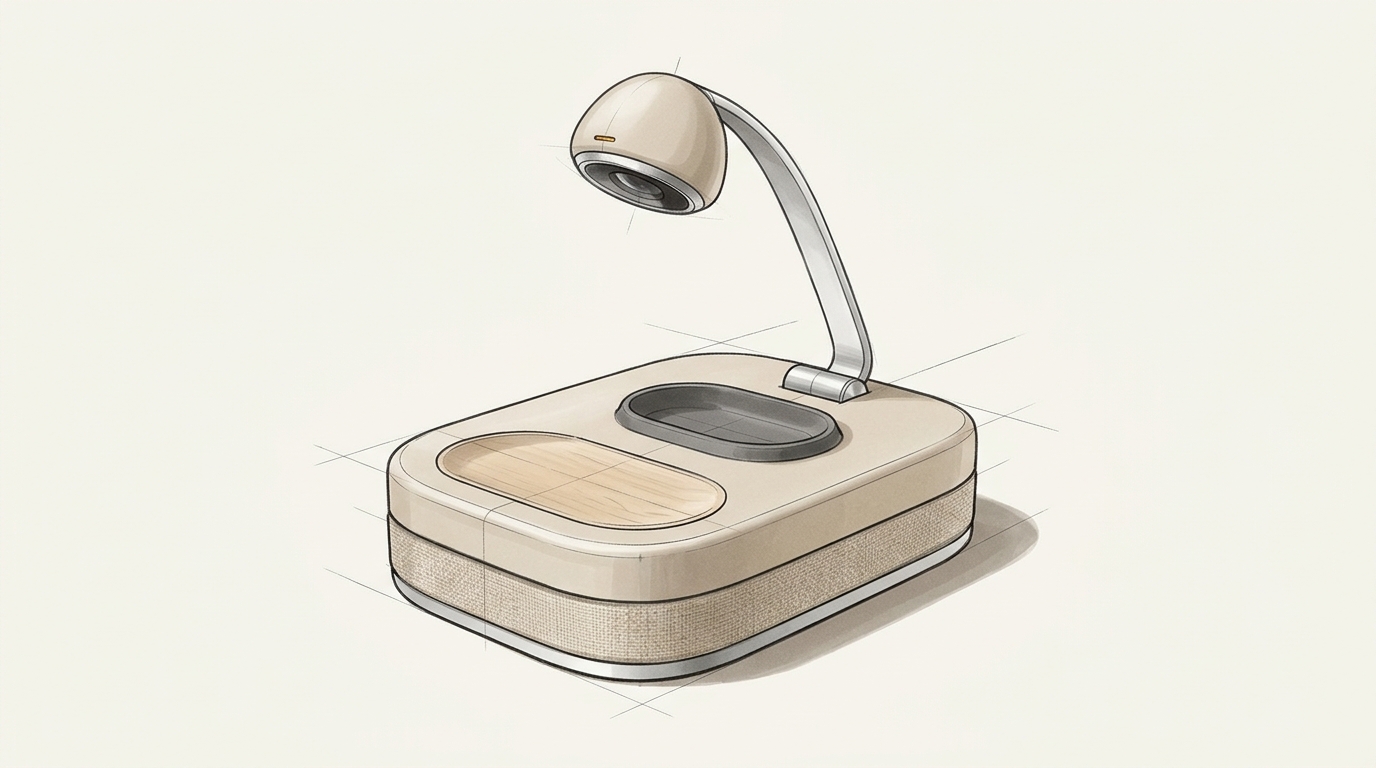
A Deployed Posture Arcing Over the Workspace
From a low-profile base that never dominates the desk, a slender aluminum arm traces a quiet arc to cast a gentle gaze over the work below. By omitting a dedicated display and combining the grain of beechwood, stone-like matte resin, and woven fabric around its waist, the tension typical of electronic devices is softened. Its presence blends naturally into the landscape of a study desk, inviting a child to reach out without hesitation.
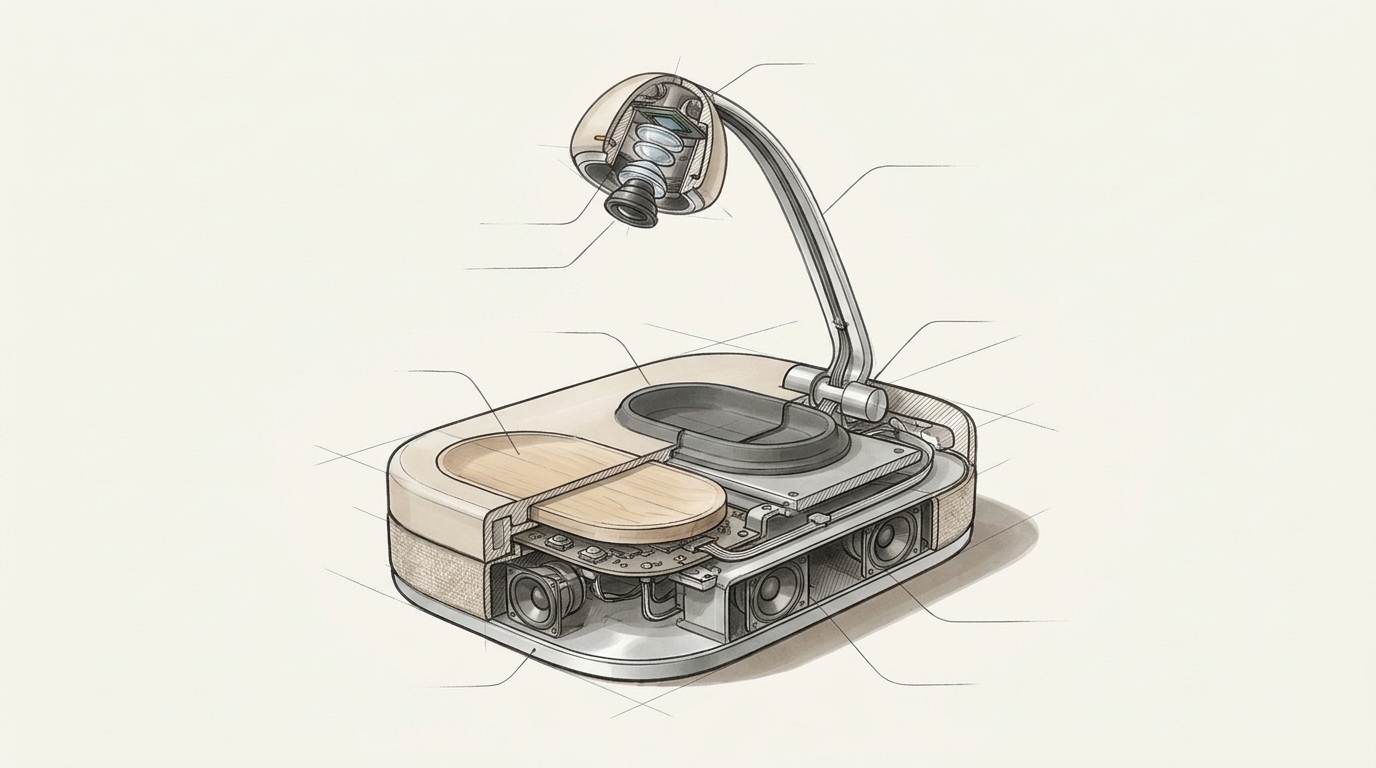
Internal Structure of the Acoustic Chamber and Optical Head
Inside the base are an aluminum bottom plate that lowers the center of gravity, an acoustic chamber that radiates sound evenly around the perimeter, and a control board handling voice preprocessing. The pebble-shaped head at the tip of the arm houses a downward-facing wide-angle optical camera and directional microphone, linked to the base through wiring inside the hollow aluminum stem. A mechanical switch directly beneath the wooden pad ensures the device listens only at the exact moment a finger rests upon it.
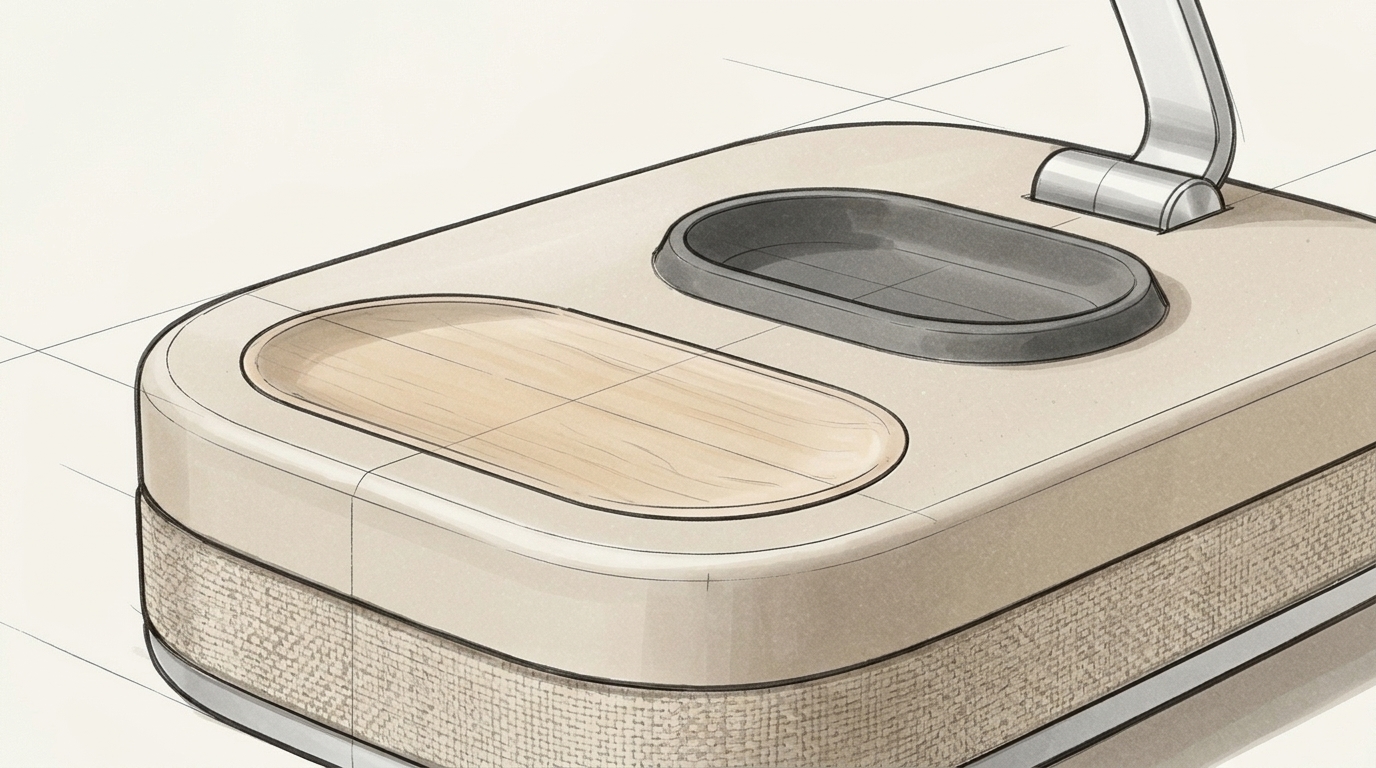
A Tactile Contact Formed by Wood Grain and Fabric
The front recess touched by the fingertips is crafted from solid beechwood, offering warmth that grows more familiar with use. Surrounding it, the mineral-filled matte resin absorbs light softly and resists fingerprints and scuffs. The acoustic fabric around the waist and the aluminum rim along the bottom create a precise boundary, shaping a tactile invitation where a child naturally rests their fingers between thoughts.
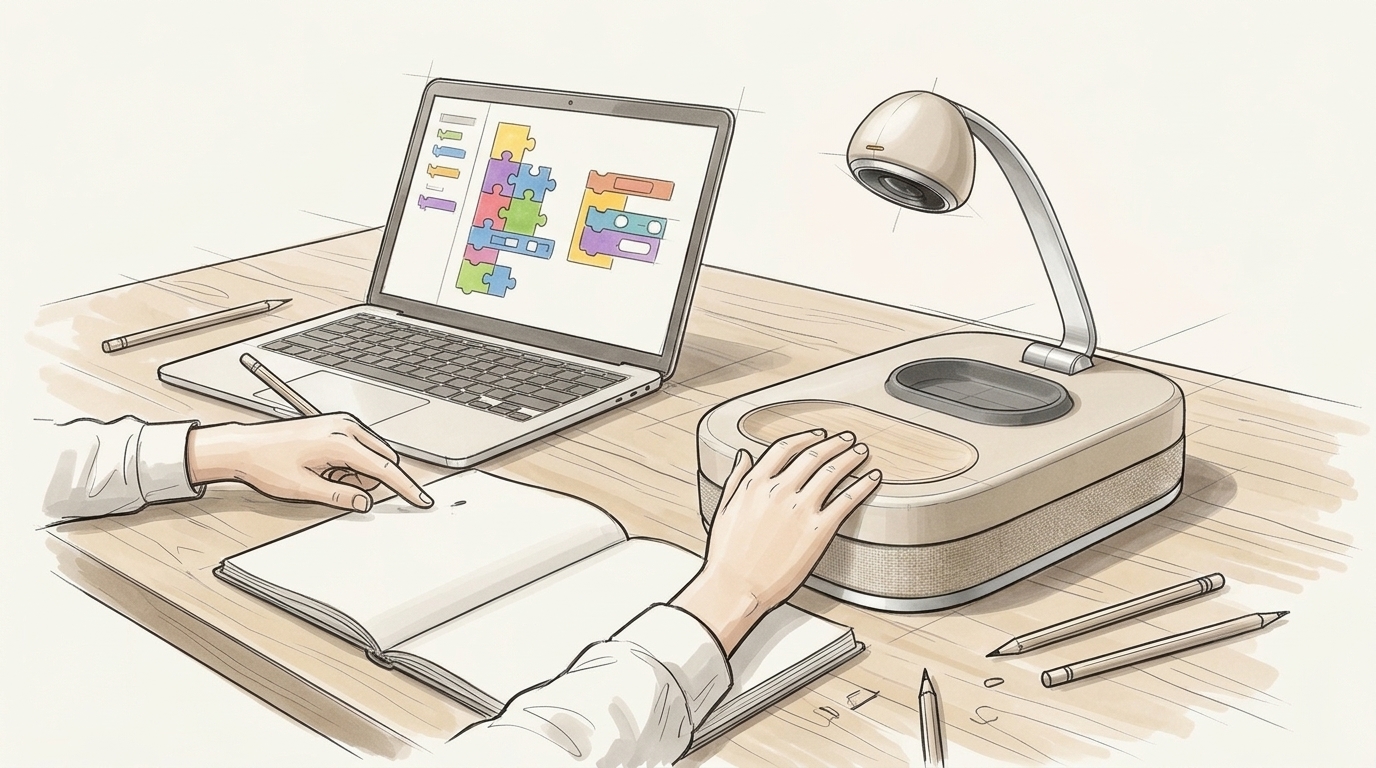
A Deskside Scene Solved Through Pointing and Voice
A moment in which a child voices a question while assembling block-based code on a laptop. With their left hand resting lightly on the beechwood pad and a pencil in their right hand pointing to a spot on the screen, the overhead camera captures both the arrangement on display and the position of the tip simultaneously. Dialogue continues seamlessly without switching windows or reading long passages, keeping the child's eyes on their own work.
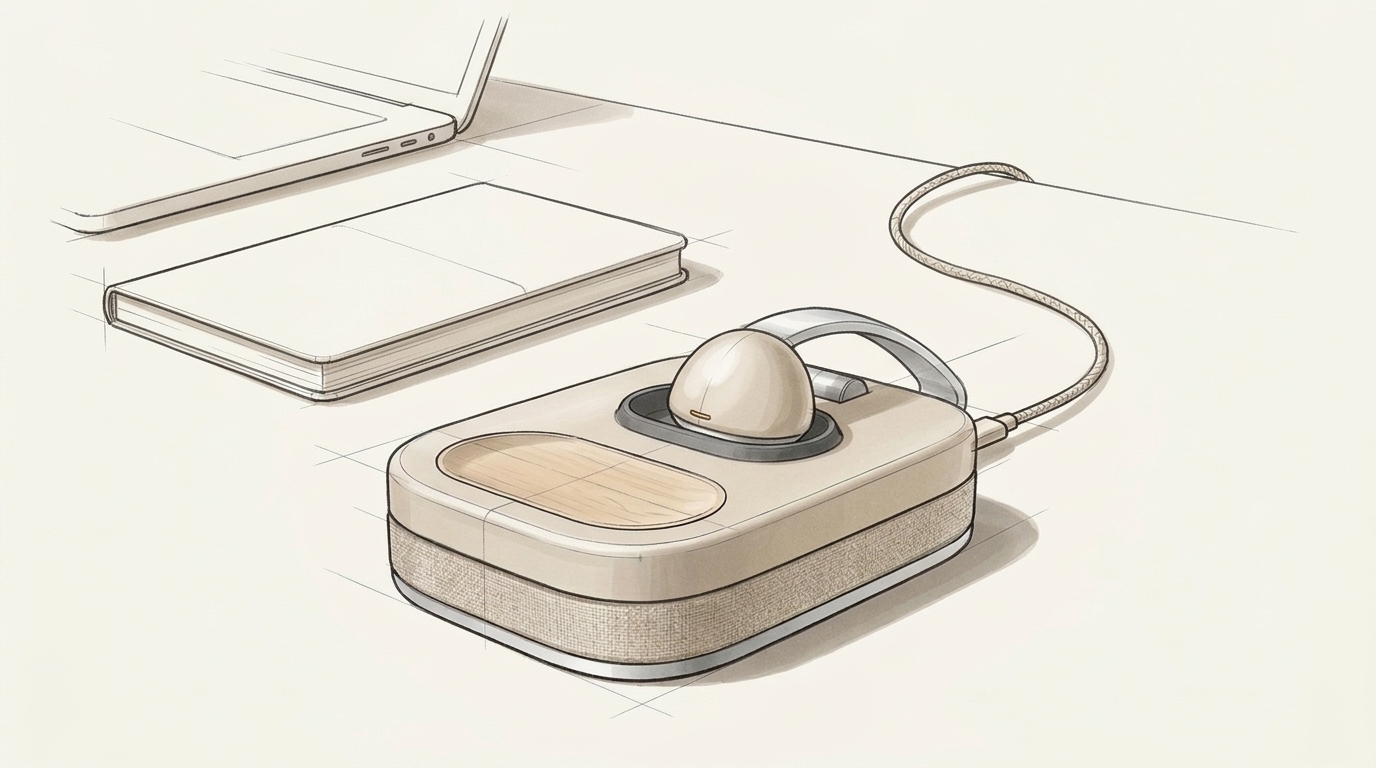
A Resting Posture with the Lens Face-Down
Once study is complete, the arm folds forward from the rear hinge, seating the pebble-shaped head face-down into the silicone recess at the center of the base. Physically covering the lens simultaneously cuts off power and audio capture, allowing the object to sit in a family living space without any sense of being watched. Charging via the fabric-braided cable at the rear, it waits quietly like a paperweight on the desk for the next session.
ARCHIVE · 6 SPECIMENS
Latest & Past Specimens
 LATEST
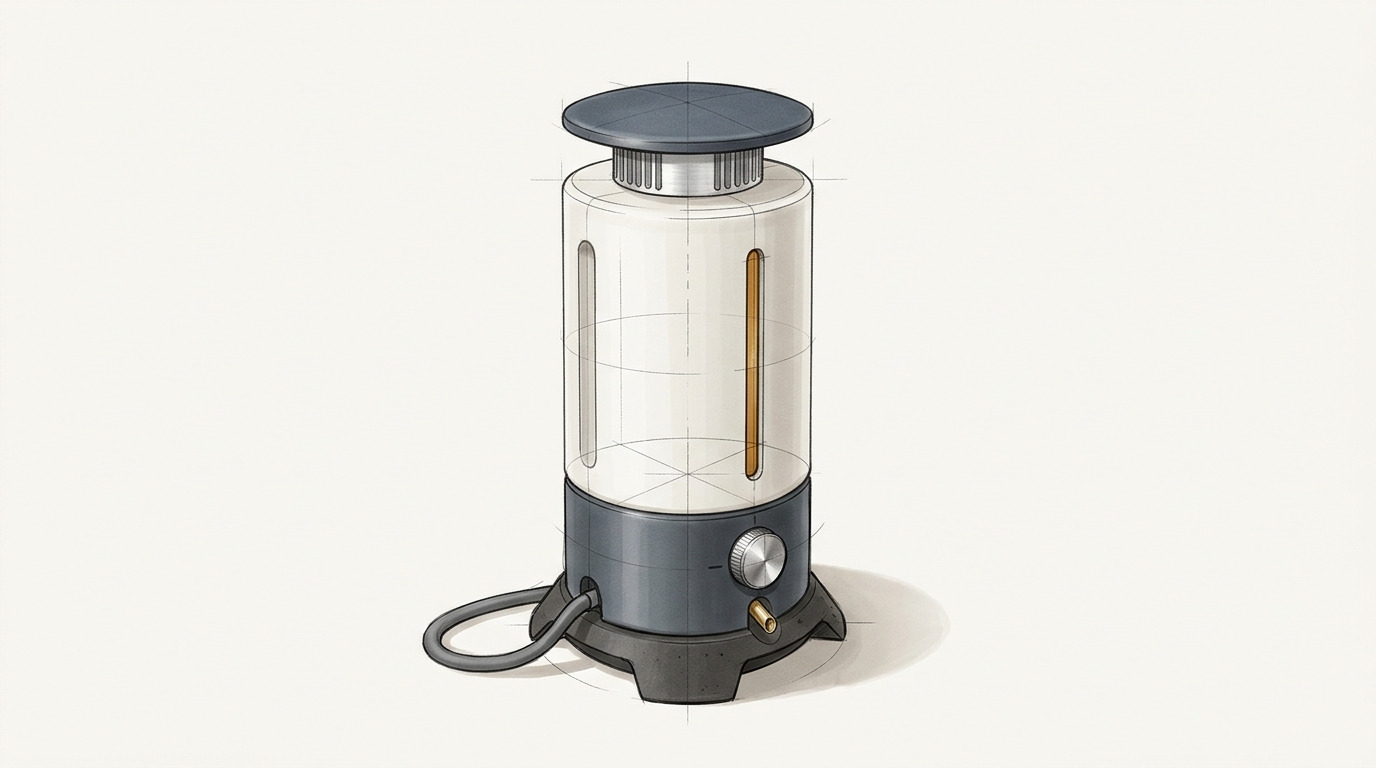
Waterway-Side Catalytic Nitrogen Vessel
Agriculture, Waterways & Ecosystems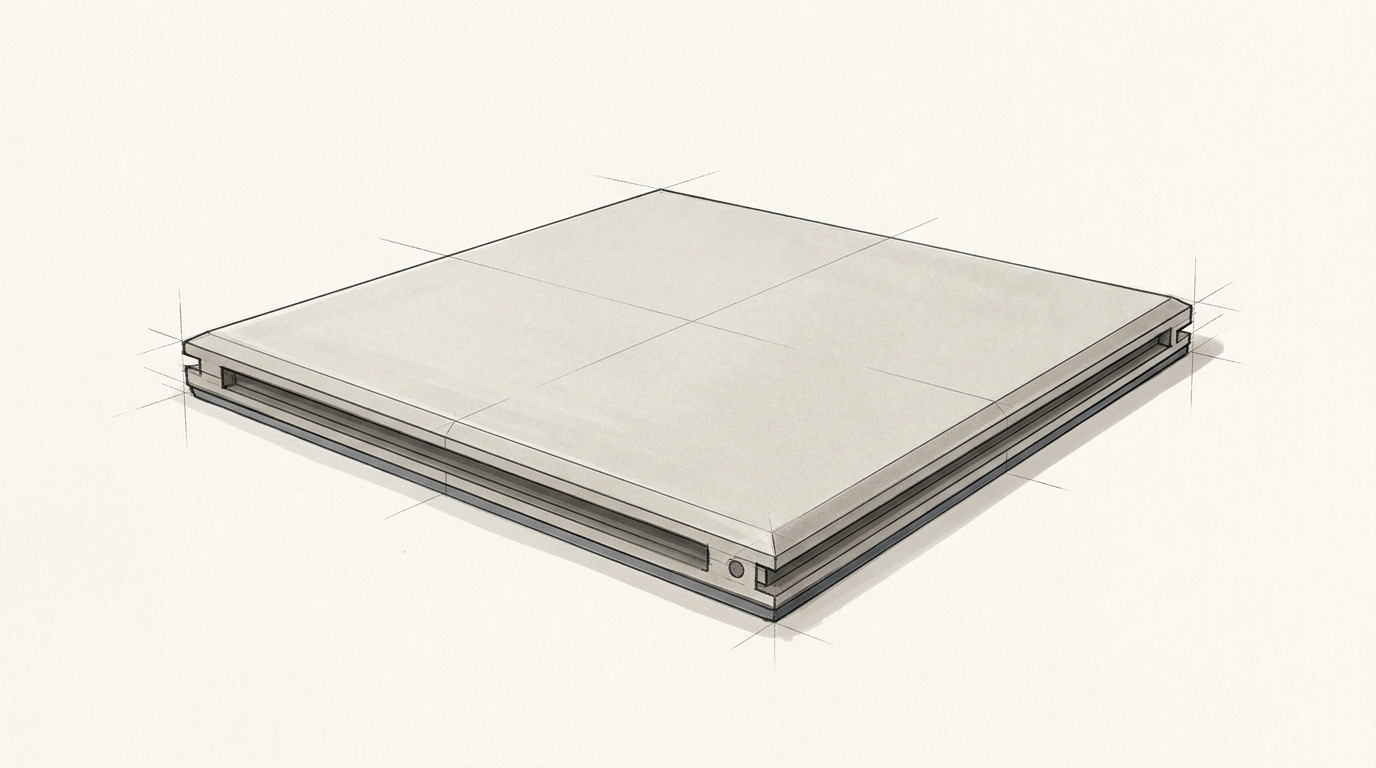
Load-Bearing Thin Multilayer Thermal Deck
Architecture, Living Environment & Climate
VIEWING
A Voice Learning Instrument Watching Over the Hands
Children's AI Education & Spoken Dialogue
Doorstep Voice Patrol Kiosk
Community Living & Elder Care
A Soft Supporting Arm That Blends into Bedding
Body, Healthcare & Welfare
Unpowered Mountain-Fold Flood Sill Driven by Water Pressure
Disaster Prevention, Hydraulics & Evacuation Tools
Quiet tools where research meets everyday behavior.
An autonomous daily industrial design sketchbook.